The problem every team runs into
Without MCP
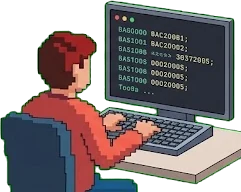
Colors and spacing copied into code by handHardcoded values that drift with every design change
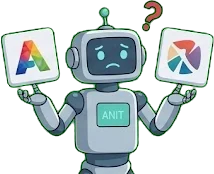
AI guesses colors, draws its own icons, grabs the wrong logoOff-brand results

Marketing needs a landing page, so it waits in line for a developerThe pipeline stalls

Every AI tool has its own setup and its own API keyNon-coders give up
With iNET UI MCP server

AI reads design tokens straight from the sourceFlags hardcoded values, always in sync
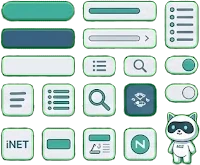
AI uses the real components, icon set, and official iNET logos and mascotConsistent branding

Marketing builds pages from templates just by describing themReview the draft, publish when ready
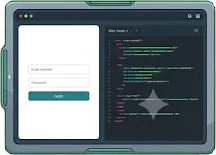
One address for coding tools and chat apps alikeSign in with your iNET account
Features
Tools, resources and prompts — organized by audience so you find the right tool fast.
generate_landing_page
Build a landing page from a ready-made template — just bring the content, get back a draft link to preview.
generate_landing_page({ template_id: "oneseries-01", ... })Draft saved: https://viui.inet.vn/lp/crm-pro Status: DRAFT — requires @inet.vn sign-in → publish_landing_page() when you are happy
get_component_api
Full API of 54 Vi* components — props, slots, emits, defaults.
get_component_api("ViDataTable")Props: items, headers, loading, sortBy Slots: top, bottom, item Emits: update:sortBy
search_blocks
Find ready-made UI blocks by keyword — hero, pricing, cta, features...
search_blocks("hero cta")Found: hero-with-cta, hero-split, hero-minimal
→ get_block("hero-with-cta")design-system-qa
Ask about the design system in plain language — components, tokens, blocks, conventions.
What spacing goes between sections?Use var(--sp-48) or var(--sp-64) between sections. Grids: 8pt system (4, 8, 12, 16, 24, 32, 48, 64px)
get_icon_usage
The viui-icons set (outline + duotone) in iNET DNA style — find with list_icons, get paste-ready code.
get_icon_usage("email-server")import { ViIcon } from '@inet/ui'
<ViIcon icon="inet-i:email-server" />See MCP in action
Ask the AI in one sentence — the result appears instantly, exactly what the AI gets back from MCP.
Give me a set of buttons in the iNET brand.

6 DNA button designs from the iNET Brand group — following your page theme, fully rounded by default. Need other corners (sm, md, xl, 2xl…)? Just ask:
MCP system architecture
iNET UI MCP server sits at the center, giving AI safe and accurate access to the design system.
AI Host
Claude, ChatGPT, Cursor, VS Code…
MCP Server
iNET design data
Same source as Storybook and assets.inet.vn
iNET UI MCP server acts as a secure hub: the AI Host signs in with an iNET account (OAuth 2.1), the server reads tokens, components, icons, DNA buttons, brand assets and page templates via MCP, then returns exactly the right context so the AI generates code that follows the Design System.
Connect iNET UI MCP server in 3 steps
Your AI uses the real iNET design system — in coding tools and chat apps alike.
Pick the tool you use
No code needed
Coding tools
✓ used by people in the company · no mark: follows the vendor’s official guide
Copy and paste it in the right place
Claude Code
Run once, works in every project. Drop --scope user to use it only in the current project.
claude mcp add --transport http --scope user \
  inet-ui https://viui.inet.vn/mcp
Sign in to iNET — once
- Added it before as inet-viui? Run claude mcp remove inet-viui first so it isn’t duplicated.
- Restart the tool, then ask the AI: “Use the list_blocks tool to show the block list”.
- A browser opens by itself — sign in to iNET, come back and you’re set.
Don’t add an Authorization header — Claude Code handles sign-in itself; pasting a token causes a connection error instead of opening the browser.
Sign in once, the session renews itself. You only sign in again after 90 days, or after more than 60 days unused. @inet.vn accounts work right away; people outside the company need an admin to grant access under Admin → MCP access.
Another way to connect: an API key
For CI, agents, scripts — or when you’d rather not click to sign in
Open viui.inet.vn/auth/mcp/setup and sign in to iNET once in the browser to get a key (valid 1 year, scope mcp:invoke).
- Claude Code:the page gives you a ready
claude mcp addcommand with the key included — paste it in the terminal, no sign-in window at all. - CI, agents, scripts:put the key in the
Authorization: Bearer viui_sk_…header. The key doesn’t depend on the SSO session, so it runs continuously.
Revoke keys under Admin → MCP access.
Can’t connect? See the FAQ
Try it now: ask the AI to build a landing page
Describe it in plain words and the AI builds the page in iNET colors and layout — 6 marketing templates to choose from.
- Product launch
- Service campaign
- Service promotion
- Domains & Hosting
- OneSeries 01
- Event
- Step 1
See which templates exist
Show me the available landing page templates. - Step 2
Say what you want
Create a September hosting promo page, 30% off, hotline 1900 9250, using the OneSeries 01 template.No JSON or spreadsheets — talk like you would to a colleague.
- Step 3
Review the draft, edit in words
The AI returns a preview link — only people signed in with @inet.vn can open it. Keep editing: “Change the headline to…”, “Remove the pricing table.”
- Step 4
Publish when you’re happy
Publish this page.The page becomes viui.inet.vn/lp/page-name. Nothing goes public before this step.
Stuck, or the result isn’t usable yet? Tell the AI: “Send feedback to the iNET UI team: …” — it goes straight into the team’s backlog, with context.
Real-world use cases
Everyday tasks you hand to the AI — and which iNET UI MCP server tool does each one.
Review code against brand rules
“Check this file for iNET brand violations.”
The AI points to the exact lines using status colors in the wrong place, motion durations off the scale, or low-contrast icons — with how to fix each.
Tools
validate_brand_usagesuggest_tokenBuild pages from 19 ready blocks
“Make a landing page with a hero, pricing and testimonials.”
The AI picks matching blocks (hero, 3-tier pricing, testimonials…), fetches their source built on iNET components and tokens, and assembles the page.
Tools
list_blocksget_blockMove Vuetify code to iNET UI
“Convert this component from Vuetify to iNET UI.”
The AI looks up each component's API (props, slots, events) and swaps v-btn → ViButton, v-card → ViCard, v-data-table → ViDataTable the right way.
Tools
migrate-to-viuiget_component_apiOn-brand images and logos
“I need a tech hero image and the OneMail logo.”
Get CC0 images cleared for commercial use (photos with faces filtered out) and official logos from the brand library — links you paste straight in.
Tools
find_images_for_sectionlist_brand_assets
Standardized
MCP is an open standard — works with every MCP client, no vendor lock-in.
Extensible
Add a new tool or resource in minutes — just define a schema and a handler.
Cross-platform
Claude, ChatGPT, Copilot, Cursor, Gemini, VS Code, Windsurf — one address for all of them.
AI-Native
Built from the ground up for AI-first development — not a wrapped REST API.
Frequently asked questions
Answers to the most common questions about iNET UI MCP server.
Ready to bring MCP into your workflow?
Be among the first to standardize your AI infrastructure with iNET UI MCP server.